CodingMantra LogoCodingMantra
GalleryProductsPortfolioServicesGamesPricingContact
Loading AI Viral Reel Studio...
CodingMantra LogoCodingMantra

AI tools and software services for people building better digital experiences.

WhatsApp ChannelX / TwitterLinkedInInstagramFacebookGitHubYouTube

Company

  • Home
  • About Us
  • Services
  • Products
  • Portfolio
  • Pricing
  • Blog
  • API Docs
  • MCP Integration
  • Contact Us

Top Tools

  • All Tools
  • Image Tools
  • Video Tools
  • Brand Context
  • Digital Marketing
  • Financial Tools
  • SEO Tools

Legal

  • Privacy Policy
  • Terms & Conditions
  • Return Policy
  • Deals
  • Sitemap

© 2026 CodingMantra. All Rights Reserved.

    1. Home
    2. Tools
    3. Video Tools
    4. AI Viral Reel Studio
    Video Tools

    AI Viral Reel Studio

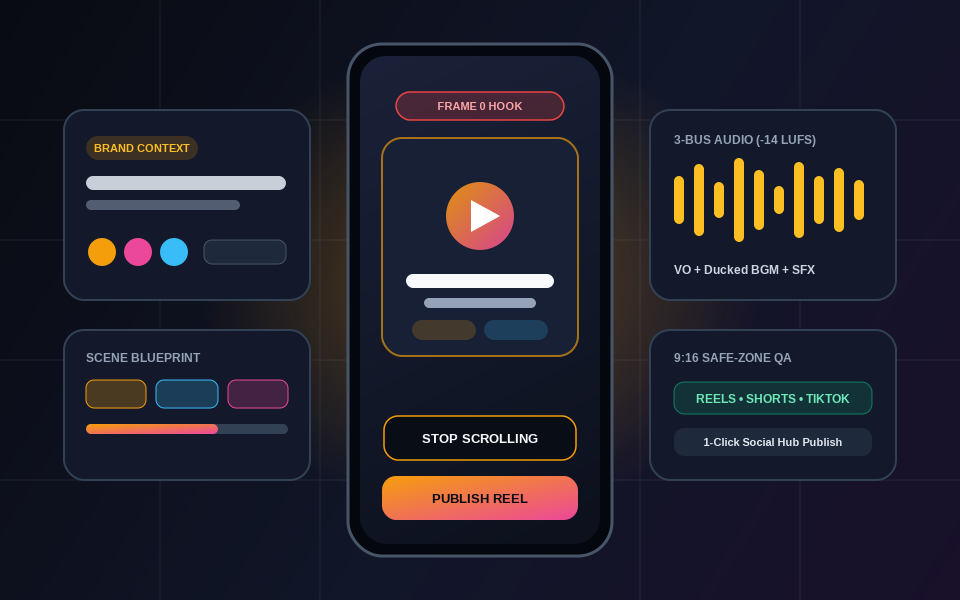
    Turn your Brand Context and campaign goal into a scroll-stopping 9:16 Reel with Frame-0 hooks, natural 1.00x voiceover, karaoke captions, and 1-click Social Media Hub publishing.

    AI Viral Reel Studio tool illustration
    Loading credits...

    High-Performing Ad Frameworks

    Click a proven viral structure to pre-fill your campaign brief.

    Campaign Goal & Creative Strategy

    Attach product shots so the planner inspects them and reuses them directly at $0 extra visual cost.

    9:16 Live Storyboard Preview

    Your 9:16 storyboard & Reel preview will appear here

    Complete Step 1 and click Generate Viral Blueprint.

    Engineered Around Viral Short-Form Retention Physics

    Most generic AI video generators produce disconnected clips with slow openings, unreadable floating text, and mismatched audio levels. AI Viral Reel Studio pairs your saved Brand Context with a structured 3-step creative pipeline modeled after top-performing Instagram Reels, YouTube Shorts, and TikTok ad frameworks.

    How the 3-Step Brand-to-Reel Pipeline Works

    • Step 1 — Brand & Goal Setup: Sync your brand voice, colors, audience, and logo automatically, pick a proven hook archetype (Breaking Shock, Cognitive Paradox, Myth Buster, or Fast-Cut Blitz), choose your voice & visual mode, and optionally attach up to 3 product photos.
    • Step 2 — Editable Scene Blueprint: Review every 3–8 second beat before committing render credits. Customize spoken narration, scene headlines, proof chips, visual prompts, SFX cues, and social captions while previewing the 9:16 layout live.
    • Step 3 — Deterministic HD Render & Social Publishing: Our HyperFrames worker synthesizes natural-speed voiceovers mastered to -14 LUFS, generates 1080×1920 visuals or AI video clips, ducks background music cleanly under speech, locks verbatim karaoke captions inside platform safe zones, and lets you send the finished MP4 straight to your CodingMantra Social Media Hub.

    Need a lip-synced human presenter instead? Try our AI Talking Avatar tool, or explore multi-character cinematic sequences in AI Story Teller.

    Frequently Asked Questions