How to Maximize Amazon & Shopify Sales with AI Product Photography
Posted by Param Mehta on April 28, 2026
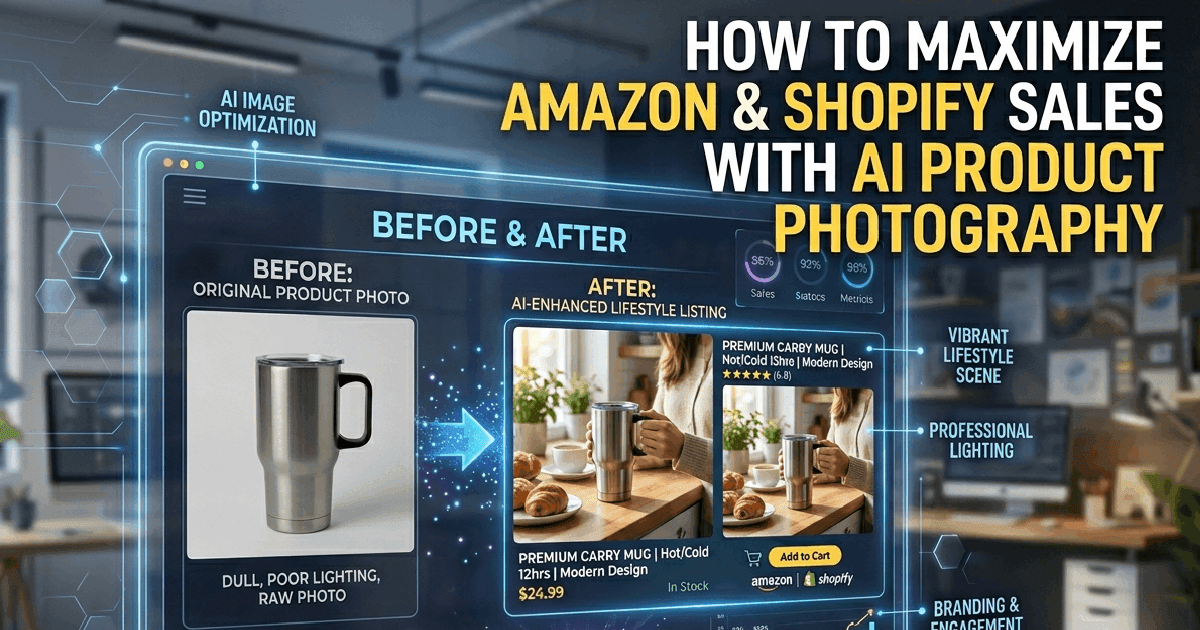
If you sell on Amazon or Shopify, you know the visual hierarchy is everything. The main image gets the click, but the lifestyle images secure the sale. However, producing compelling, studio-quality lifestyle images for every single SKU in a vast catalog is a logistical and financial nightmare for most SMBs.
CodingMantra’s suite of AI Image Tools has leveled the playing field, allowing independent sellers to produce imagery that rivals Fortune 500 brands—at a fraction of the cost.
The Requirements for High-Converting Listings
A perfect e-commerce listing typically requires:
- The Hero Image: A perfectly lit product on a pure white background (Amazon's strict requirement).
- Lifestyle Images: The product being used in its natural environment.
- Scale and Detail Shots: Close-ups demonstrating texture and size.
Mastering the Hero Image with AI
Using our Professional Photography Editor, you can snap a photo of your product on your dining table using your phone. The AI will instantly and flawlessly remove the background, apply studio-grade lighting correction, and place it on a crisp, pure white (#FFFFFF) background with a natural drop shadow. Instant Amazon compliance.
Step-by-Step: Generating Stunning Lifestyle Context
This is where the magic happens. Instead of shipping your new coffee mug to a cabin in the woods for a cozy lifestyle shoot, you can use our Product Photography Generator to create the exact environment you need in minutes. Here is the exact workflow for professional results:
- Upload & Label: Upload your base product images. You can upload multiple angles (e.g., "Front View", "Side Angle") to help the AI understand the 3D form.
- Add Hints: Use the hint field to specify details like "golden finish, reflective surface" or "matte texture" to ensure the AI renders the material perfectly in the new lighting.
- Brand Injection (Optional): Upload your logo and set the size/placement to automatically brand your lifestyle shots.
- Describe the Scene: This is critical. Be highly descriptive. Instead of typing "on a table," prompt the AI with: "On a rustic wooden table next to a steaming cup of coffee, with soft morning light coming from a window."
- Reference Styles: Upload a reference image if you want the AI to match a specific aesthetic, composition, or lighting setup.
- Overlays & Output: Add a punchy "Overlay Text" (like "50% Off"), choose your aspect ratio (Square for Instagram, Landscape for banners), and generate!
Pro Best Practices for Photorealism
To ensure your images pass the "eye test" and look like a $50,000 studio shoot, follow these best practices:
- Start Clean: Always begin with a high-quality product photo on a clean white or transparent background. Cluttered original backgrounds confuse the AI and cause artifacts.
- Match Lighting Direction: If your base photo is lit from the left, make sure your scene instruction says "lit from the left" so the generated shadows make physical sense.
- Keep Text Minimal: Use Overlay Text sparingly. Keep it to 2-4 words so it doesn't distract from the product itself.
- A/B Test Everything: Because the cost per generation is negligible, render your product in 5 different environments (e.g., marble counter vs. wooden table) and test which one drives the highest conversion rate on Shopify.
Ready to upgrade your storefront? Start generating with CodingMantra today and watch your click-through rates soar.
About the Author: Param Mehta
Param Mehta is a senior full-stack software engineer, open-source enthusiast, and product architect specializing in generative AI and digital experiences.