
CodingMantra LogoCodingMantra
GalleryProductsPortfolioServicesGamesPricingContact
CodingMantra LogoCodingMantra

AI tools and software services for people building better digital experiences.

WhatsApp ChannelX / TwitterLinkedInInstagramFacebookGitHubYouTube

Company

  • Home
  • About Us
  • Services
  • Products
  • Portfolio
  • Pricing
  • Blog
  • API Docs
  • MCP Integration
  • Contact Us

Top Tools

  • All Tools
  • Image Tools
  • Video Tools
  • Brand Context
  • Digital Marketing
  • Financial Tools
  • SEO Tools

Legal

  • Privacy Policy
  • Terms & Conditions
  • Return Policy
  • Deals
  • Sitemap

© 2026 CodingMantra. All Rights Reserved.

    1. Home
    2. Tools
    3. Video Tools
    4. Product Videography
    Video Tools

    AI Product Videography

    Create captivating video showcases of your products with AI. Upload an image, describe the shot, and watch your vision come to life.

    Studio product bottle with an amber camera-orbit light trail
    Choose Model
    1m 30s
    160(≈ ₹80)
    Audio
    Choose Image Mode

    Select how you want to provide images for video generation.

    Upload a single product image. The AI will animate it into a video.
    Click below to upload
    Product Details
    1
    Product Name

    Product details

    Popular Style Instructions

    Choose a starter style and upload an image. You can generate directly; drafting a prompt is optional.

    Animation Prompt
    Advanced Options
    CreativeBalancedStrict

    Inspiration Gallery

    Preview will appear here

    Credits

    160

    ≈ ₹80≈ $1.44
    Duration

    4s

    Quality

    720p

    Tips for Image to Video

    • Upload a sharp, high-res photo of the product.
    • Mention "macro close-up" and "lighting" in your prompt.
    • Specify the background (e.g., "white studio," "dark backdrop").
    • Use "slow rotation" for the best 3D-like effect.

    How to use this tool

    1. 1

      Upload Product Image

      Provide a clear, well-lit photo of the product you want to feature in the video. A transparent or clean background works best.

    2. 2

      Describe the Scene

      Write a prompt detailing the type of video you want. Be specific about camera movement, lighting, and background. Use terms like 'cinematic,' 'macro close-up,' or 'elegant rotation.'

    3. 3

      Generate Video

      Click generate and wait for the AI to create your product video. This process can take a minute or more depending on complexity and server load.

    4. 4

      Download & Use

      Once generated, download your video and use it on product pages, social media, ads, or anywhere else you need dynamic product content.

    Tips for better results

    • Use descriptive prompts

      specify camera angles, lighting conditions, and background settings for more accurate results.

    • Clean product photos work best

      upload images with good lighting and minimal background clutter for the best video output.

    • Keep videos short

      4-8 seconds is ideal for social media; focus on one key product angle or movement per video.

    Bring Your Products to Life with AI Video

    Static images are essential, but video captures the true essence, functionality, and detail of a product. Our AI-powered videography tool allows you to generate short, professional-quality video clips that showcase your items in a dynamic and engaging way, without the need for expensive cameras or complex video editing. Whether you are selling electronics, furniture, cosmetics, or any other product, a short video clip can dramatically increase engagement and conversion rates on your product pages.

    Product videos have been shown to increase purchase confidence and reduce return rates. By giving customers a dynamic view of your product—how it looks from different angles, how light interacts with its surface, and how it appears in context—you provide a richer shopping experience that static images alone cannot match. Our AI makes this accessible to businesses of all sizes, eliminating the need for professional video shoots.

    How It Works

    1. Upload Your Product Image: Provide a clear photo of the product you want to feature.
    2. Describe the Video: Write a prompt detailing the type of video you want. Be specific about the camera movement, lighting, and background.
    3. Generate & Download: The AI will create a short video clip based on your instructions. Please be patient, as this can take a minute or more. Once ready, you can download your new product video.

    Frequently Asked Questions

    Explore related tools

    Continue your workflow with tools from this category and other useful options.

    Abstract gold emblem surrounded by cinematic amber light trails
    Video
    AI poweredFeatured

    Logo Animation Generator

    Animate your logo with stunning video effects using AI.

    Explore tool
    Festive diyas and marigolds with warm cinematic lights
    Video
    AI poweredFeatured

    Festival Video Generator

    Generate professional, cinematic festival greetings videos using AI.

    Explore tool
    Gold necklace and earrings on a dark pedestal with an orbiting light arc
    Video
    AI poweredFeatured

    Jewelry Product Videography

    Generate stunning, short video clips of jewelry products from text prompts.
    Explore tool
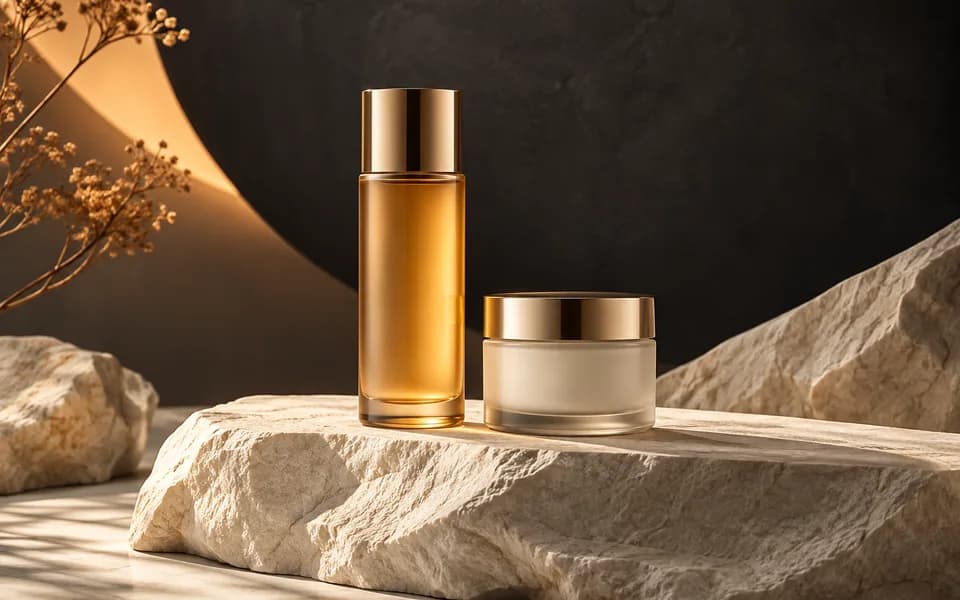
    Cosmetic bottle and jar photographed on sculptural stone in a studio
    Image
    AI poweredFeatured

    AI Product Photography Generator

    Generate studio-quality professional photos of your products in any scene instantly using AI.

    Explore tool
    Editorial portrait showing a gold necklace and matching earrings
    Image
    AI poweredFeatured

    AI Jewelry Virtual Try-On

    Let customers virtually try on rings, necklaces, and earrings on their own photos using realistic AI.

    Explore tool
    Complete gold necklace and earrings arranged in a jewellery studio
    Image
    AI poweredFeatured

    Jewellery All In One

    Create product photos and try-on looks across jewellery batches, then download the results together.

    Explore tool
    Browse all tools

    Why Choose CodingMantra for Your Digital Needs?

    Privacy-First Architecture

    Browser utilities process data locally. When you choose to save a logo or document to your account, it is stored for reuse. AI tools send the inputs needed to generate your results.

    Advanced AI Integration

    We leverage the latest generative AI models (including Gemini and OpenRouter) to provide state-of-the-art capabilities like product photography generation, virtual try-ons, and high-converting marketing copy.

    Developer-Centric Utilities

    Built by developers for developers, our productivity suite includes essential utilities for JSON formatting, Regex testing, and security key generation, all optimized for a fast and seamless workflow.

    Tools for everyday work

    We believe in democratizing high-end technology. CodingMantra provides browser utilities and credit-based AI tools, helping small businesses and independent creators compete with larger enterprises.